Verified copies
Ferry checks copied files and runs a final verification before marking a transfer complete.
Ferry
Verified, resumable file copy for macOS
Free to use · Ferry 2.0.1 · macOS 14 or later
Copy large files to external drives with checksum verification. Pause and continue without starting over.
Apple silicon and Intel · Read the installation instructions
What it does
Made for video editors, photographers, musicians, and anyone moving large projects between a Mac and external drives.
Ferry checks copied files and runs a final verification before marking a transfer complete.
Progress is saved, so long transfers can continue after a pause, interruption, or app restart.
Ferry copies files. It never deletes the originals or turns a transfer into an automatic move.
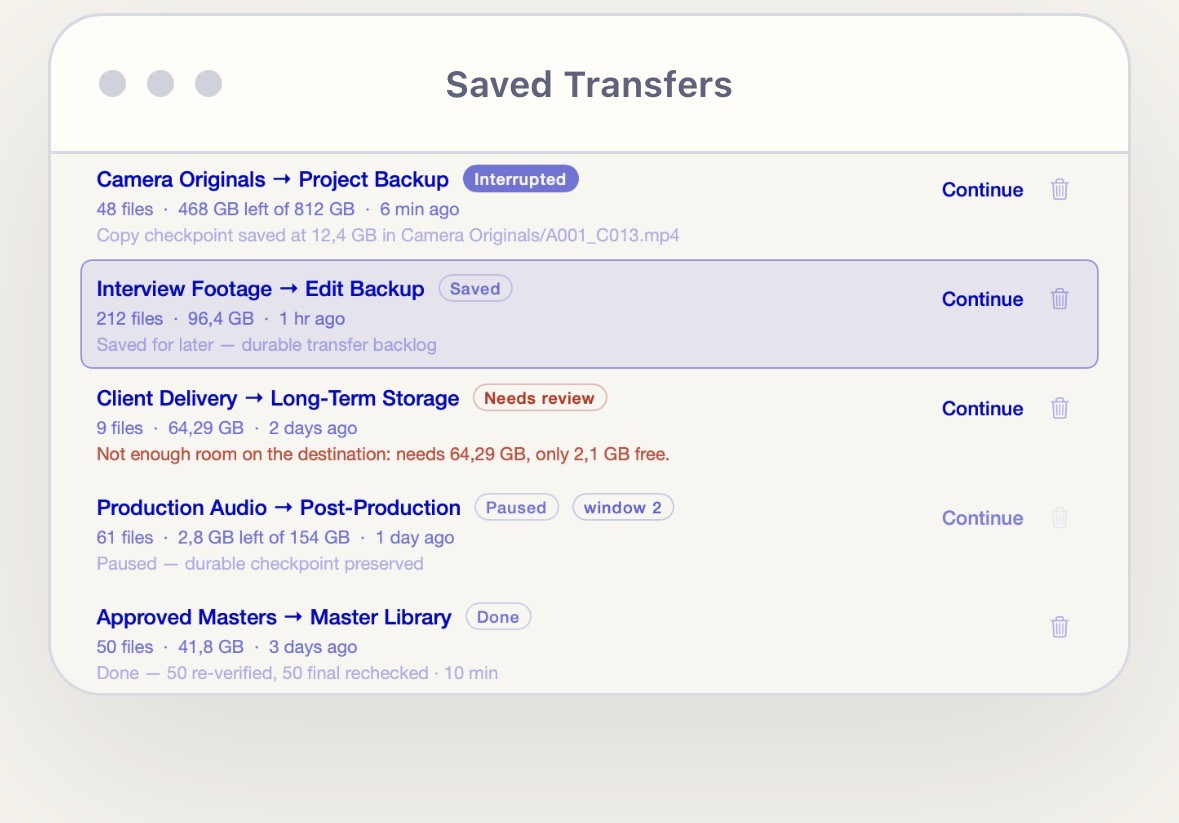
Saved transfers
Ferry keeps durable checkpoints for interrupted and paused transfers. Reopen the app, review what happened, and continue when the drives are ready.
Common questions
Yes. Ferry saves durable progress so a large Mac file transfer can continue after a pause, drive interruption, or app restart.
Yes. It checks copied files and runs a final verification before marking the transfer complete.
No. Ferry is a focused file-copy utility. It copies files to your chosen destination and leaves the originals untouched.
Community build
This build is ad-hoc signed but not Apple-notarized. macOS may ask you to approve the installer once and Ferry once.
Open the DMG and double-click Install Ferry. Let macOS show its warning.
Go to System Settings → Privacy & Security, scroll to Security, and click Open Anyway.
Authenticate and click Open. If Ferry itself is blocked later, repeat the same step for the app.
Keep Gatekeeper on. Use Apple’s one-app exception instead of disabling Mac security.
Read Apple’s guide ↗Privacy
The Ferry app has no analytics, ads, cloud sync, account, or automatic network updates. Transfer data and checkpoints stay in ~/Library/Application Support/Ferry.
Selected source and destination paths, backlog and checkpoints, file progress and checksum state, installer rollback copies, and a small health log.
Optional agent control uses a user-only local socket and records local agent activity when enabled. Bug reports are shown for review and editing; Ferry never sends one automatically.
This website uses privacy-friendly visit and download counters without public cookies or browser storage. It stores only one-way technical hashes—not names, email addresses, or raw IP addresses.
Download details
Universal community-unsigned build for macOS 14 or later.
9f9c180cab629eb46dcfa551098657dd0adf50785bb53c6ca04f25a6d55dbdc3Community support
We want future Ferry builds to be Developer ID signed and Apple-notarized, so they open without the extra approval step. Community support helps cover that membership and ongoing release costs.
Support is optional and is not a purchase or a promise of a release date.